![H Logo Green PNG.png]](https://help.recordbase.co.nz/hs-fs/hubfs/H%20Logo%20Green%20PNG.png?height=50&name=H%20Logo%20Green%20PNG.png)
When choosing the way we would implement multi factor authentication, we reviewed the different ways this could be delivered and decided to enforce the most secure option – the use of an authenticator app.
Everyone needs an authenticator app
As mentioned, to make use of MFA in Recordbase users will need an authenticator app. This means that your organisation will have to make sure that everyone has installed the chosen app.
The easiest option for using an authenticator app is to install it on a phone. If everyone in the organisation does not have a phone, there are other options you can consider, such as a windows based app, or a browser extension.
Without an authenticator app, users will not be able to setup MFA and will be unable to sign in to Recordbase.
If you are unsure what to do, please contact your local computer or system support (for example, the IT Service Desk or Helpdesk).
Multi factor authentication
Multi factor authentication (MFA) is a multi-step account login process that requires you to enter more information than just a password. By adding another layer of required information (or factor of authentication) we make it much harder for an unauthorised account to access your data.
When this is enabled, Recordbase will prompt you for an additional code as part of the sign in process.
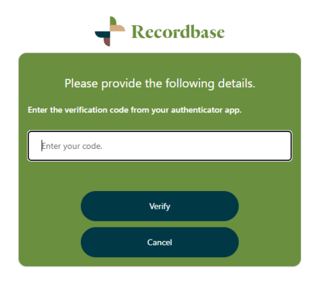
The code will be made available through the use of an authenticator app, which is the most secure form of multi-factor authentication. Authenticator apps are not only faster and more reliable than SMS and email MFA, they also enforce an additional layer of security, such as a passcode, a password or biometrics (i.e. fingerprint).
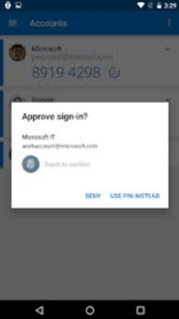
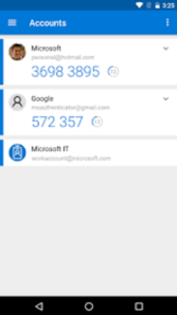
Because authenticator apps work locally, it mitigates the chance of an attacker to intercept your codes. On top of that, codes presented through an authenticator have a much shorter lifespan, which further reduces this kind of risk.
There are many options out there that you can use, but we recommend the Microsoft Authenticator app. It’s easy to set up and works well with Recordbase.
How to change your sign-in method
Recordbase provides the option to change the authentication method in the application. You can choose between email and password, Microsoft Azure AD and Google, and additionally, you can enable MFA with all these options.
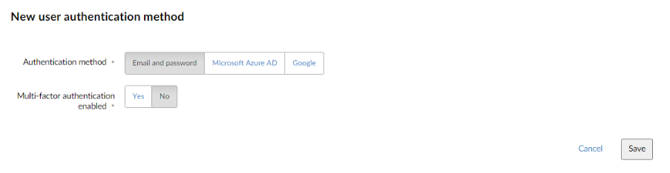
Changing the New user authentication method will cause all new users to be created using the selected authentication method but will not affect any existing users.
Migrating existing users
When you switch this on for the first time, it won’t automatically change existing users over to require MFA. To make this happen, the support team will need to update things behind the scenes.
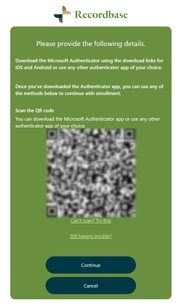
When MFA is enabled for a user, it will mean that on first sign in they will need to register their authenticator application.
Managing users in Recordbase
When MFA is enabled for a user, a new option will appear on the user screen – Reset MFA.
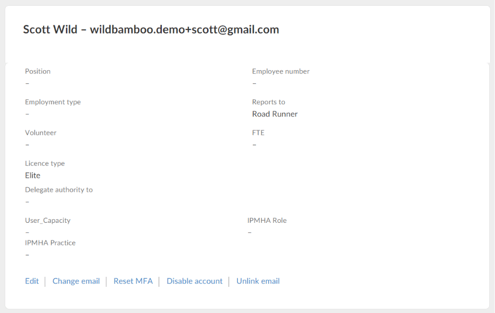
This is important, as there are times when a user may lose their phone or otherwise need to re-setup their phone. To ensure users can still access Recordbase, you can reset the MFA token to allow them to set it up again.
Please email us to schedule a date and time to enable MFA at support@wildbamboo.co.nz